
The most common message we hear is that the site looks right in a browser and still does not appear for the business name. A browser is not a crawler. It runs your JavaScript, follows your redirects, and ignores the instructions you left for robots. Search engines start with those instructions.
Google has to be allowed to fetch the page
robots.txt is the first file a crawler asks for. A single line, Disallow: /, tells every bot that obeys the file to stay out. Staging sites ship with that line so the unfinished site is not indexed. It is easy to leave it in place on the real domain. A missing robots.txt is a small penalty in the score. A file that blocks the whole site is a large one, because nothing else can be checked properly.
Blocking is sometimes correct. You may not want training crawlers collecting the site for a model. That choice is separate from Googlebot. The AI-search guide splits the two: crawlers that fetch a page to answer a question, and crawlers that only collect training data. Blocking the second group does not, by itself, remove you from Google.
A noindex tag is an instruction, not a design bug
A page can load, look complete, and carry a meta robots tag of noindex. Themes, SEO plugins, and 'discourage search engines' settings in a CMS do this to a whole site with one checkbox. Password pages and thank-you pages should be noindex. The homepage and the service pages should not.
noindex means 'do not keep this URL in the index'. It does not mean the page is broken. If you can see it and Google cannot list it, look for that tag before you rewrite the copy.
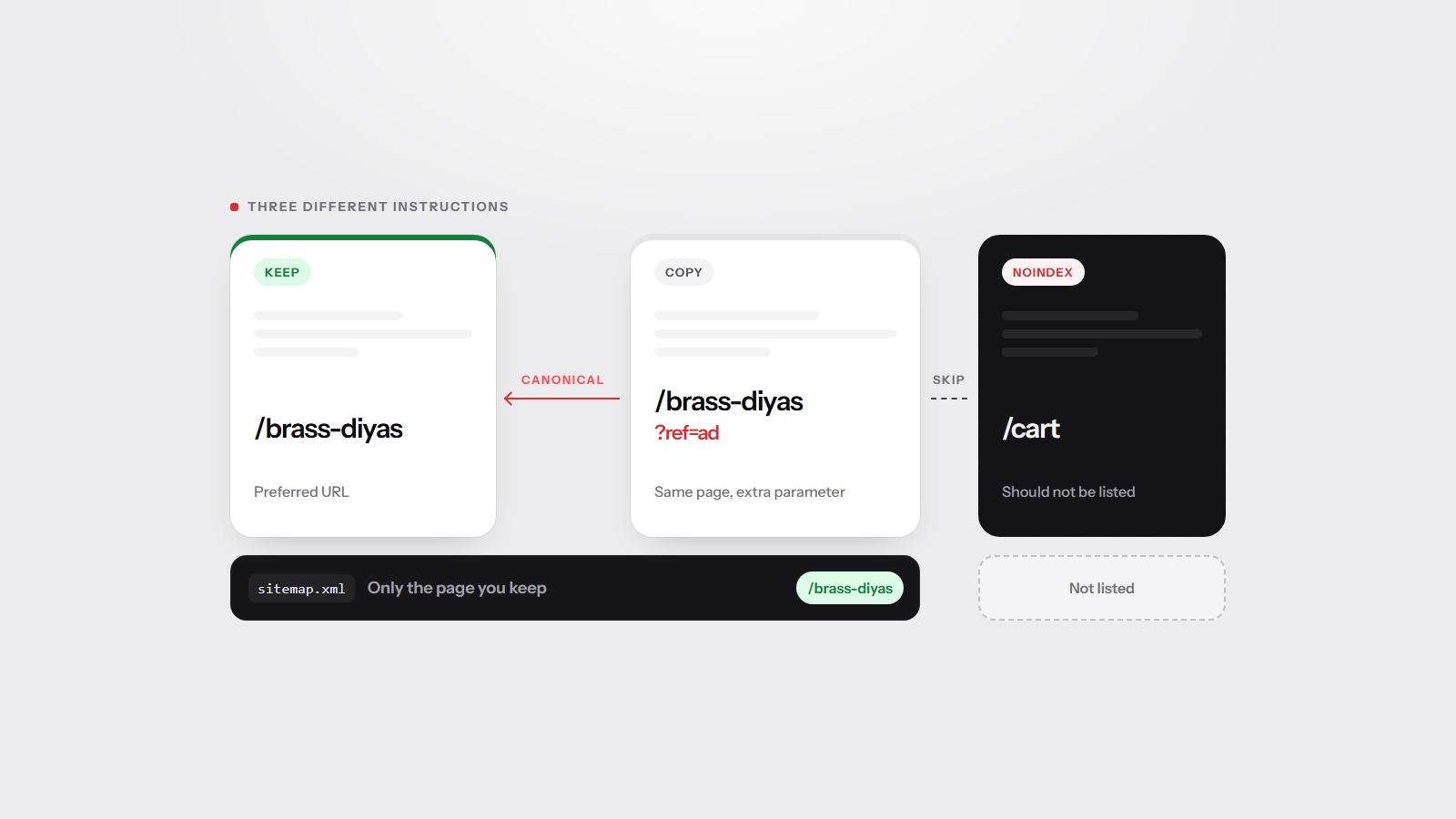
The same instruction can arrive as an HTTP header, X-Robots-Tag, which you will not see by reading the page. A scan reports both. A noindex page that is also listed in the sitemap is a contradiction: you asked for it to be discovered and asked for it not to be indexed. Remove one of the two instructions.
The canonical can point at a different URL
A canonical link element tells search engines which URL is the real one when several addresses serve the same page. Point it at the wrong host, at a staging domain, or at a URL that redirects, and the page you care about drops out in favour of the other address. Sometimes that other address does not exist anymore.
This is easy to miss because the page still looks correct when you type the address. The tag is in the head, not on the screen. Canonicals, sitemaps, and noindex covers which tool to use when you have duplicates, and which one to use when a page should stay out entirely.
A sitemap that lists the wrong URLs
A sitemap does not rank pages. It is a list of the URLs you want discovered. It should contain only URLs that return 200, do not redirect, are not noindex, and name themselves as the canonical. A list full of old campaigns, redirected http addresses, or pages that 404 wastes the crawl and hides the pages that should be there.
- No sitemap at all. Crawlers can still follow links, but you have given them no list.
- URLs that error or redirect. List the final address, not the one that hops.
- noindex URLs, or URLs whose canonical points somewhere else.
- Indexable pages that never appear in the list, and that nothing links to.
If the homepage is fine and a service page is missing, check whether anything links to it and whether the sitemap names it. A page with no links and no sitemap entry is invisible even when the file is published.
Finished on screen is not the same as present in the HTML
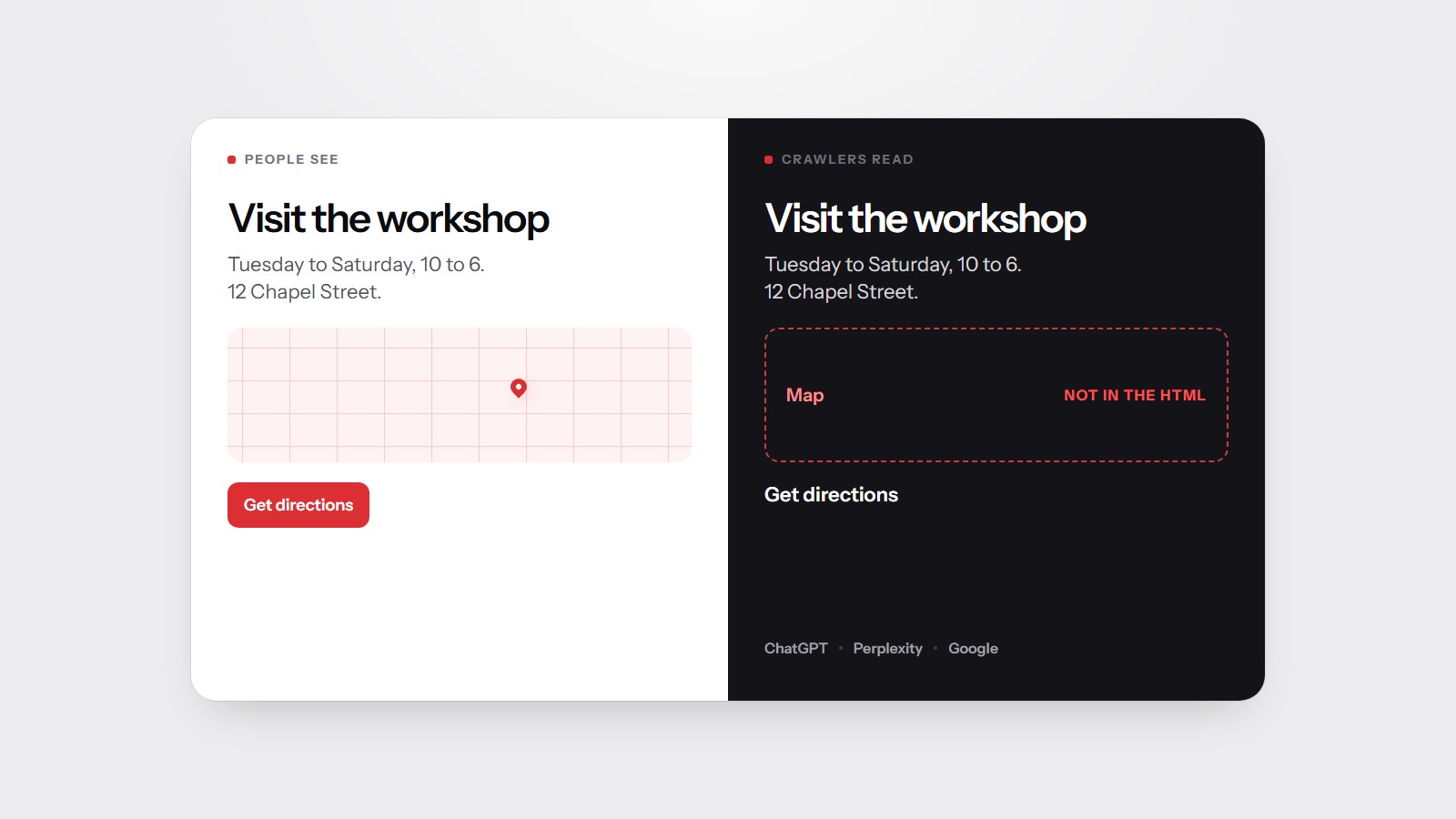
Some sites paint the whole page with JavaScript. A person sees the heading and the prices. A crawler that does not run scripts sees an empty shell. Google renders many pages, but it is slower and it is not guaranteed for every URL. Answer engines are less patient. If the words are not in the HTML response, treat them as unpublished.
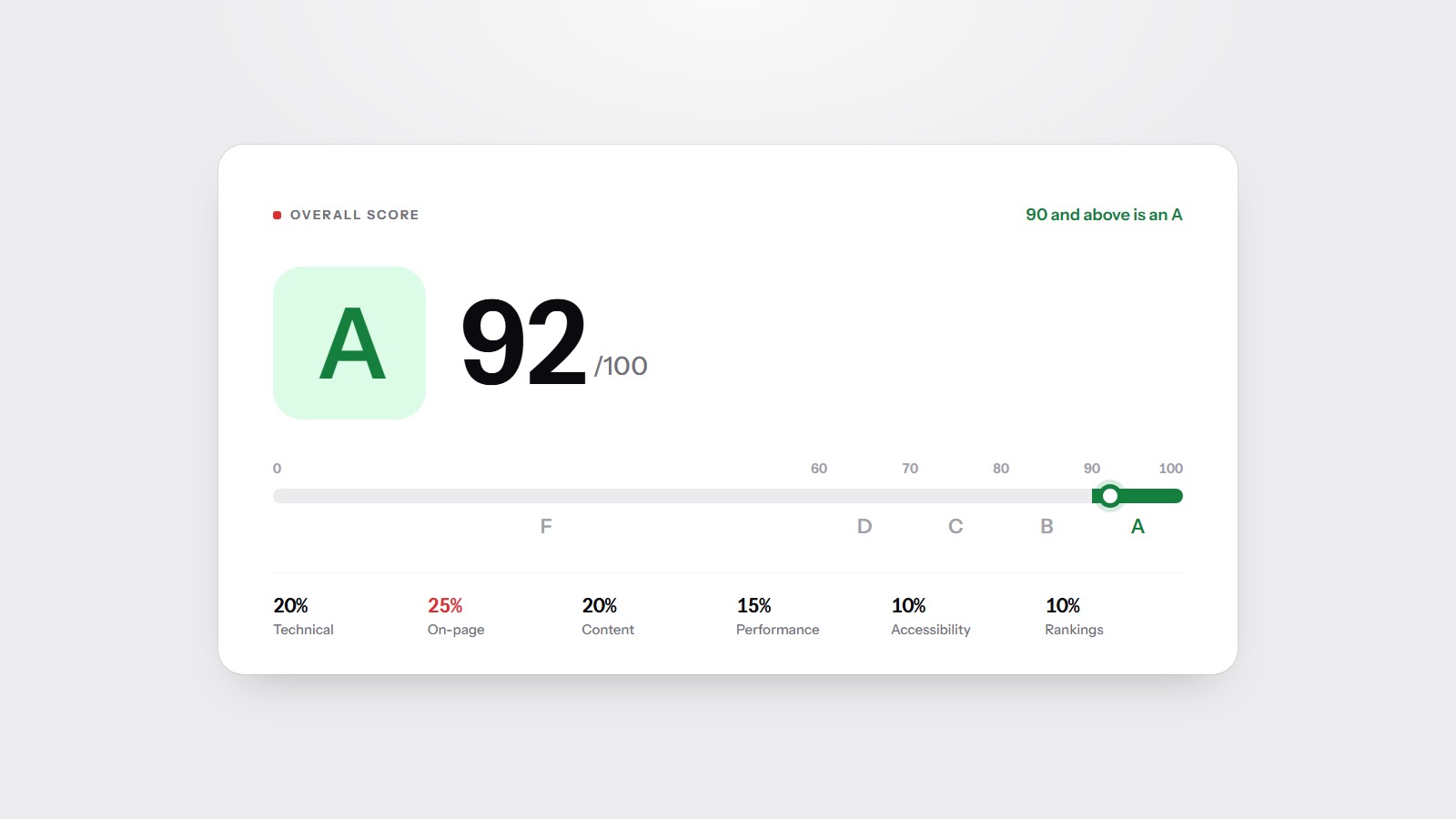
The practical test is the same one the score uses. Fetch the page, do not run scripts, and see if the main text is there. The free scan does that for your homepage and will say if the title, the description, or the index instructions are the reason the page is hard to list. The score guide explains how those findings turn into the letter, and the methodology page lists the points each one costs.