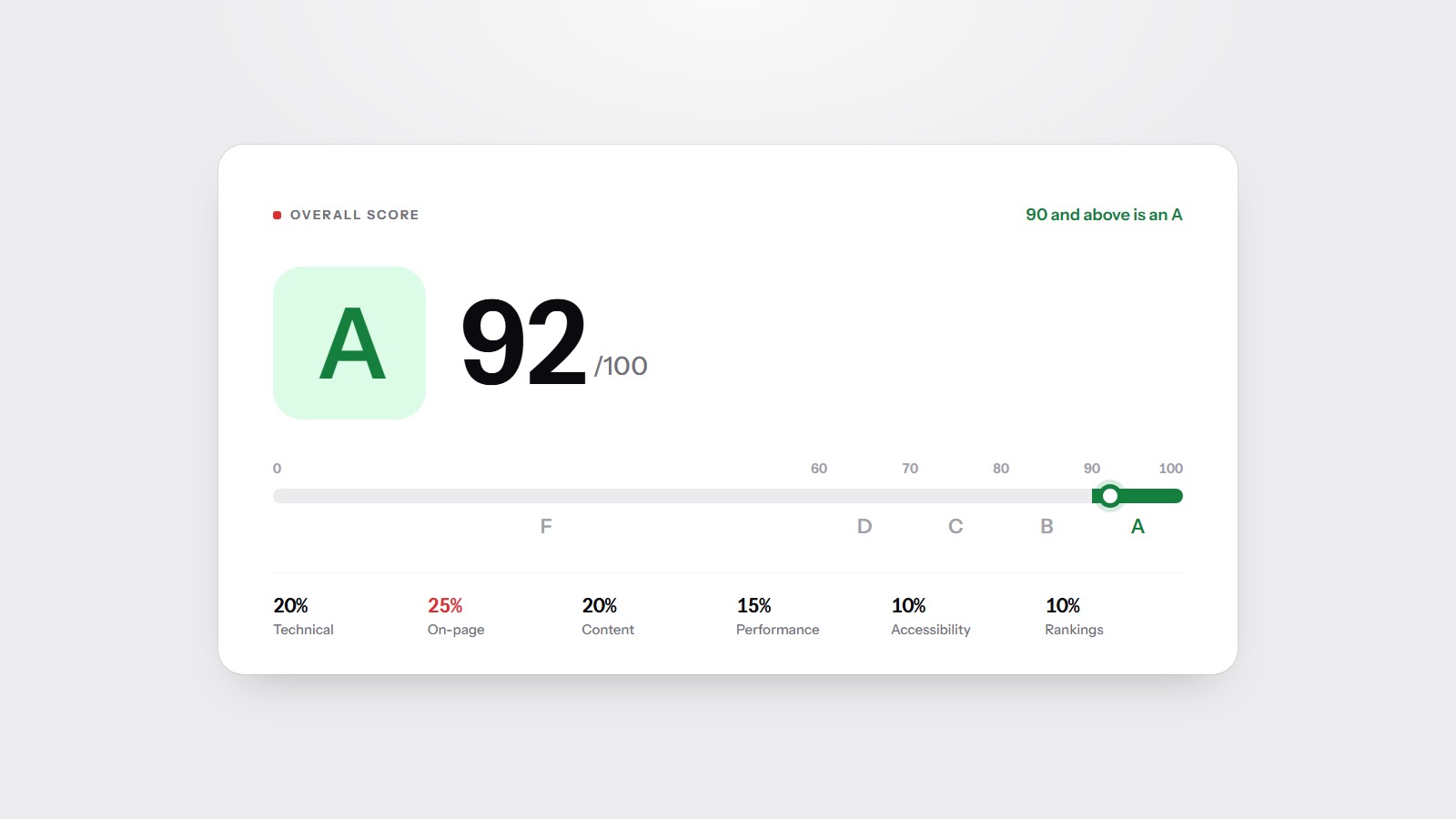
On-page checks are a quarter of the SiteScore grade, and titles are the part of that quarter a visitor actually sees. Before anyone opens your site, they read a blue link and a grey sentence. If those are missing, duplicated, or cut off, you can rank and still lose the visit to the result underneath you.
The title is the label in the search result
The title element is the strongest on-page hint about what a URL is for. Put the subject of that page at the start, then the brand if you have room. A homepage can lead with the business. A service page should lead with the service. 'Home | Home | Welcome' tells a search engine, and a person, nothing the URL did not already say.
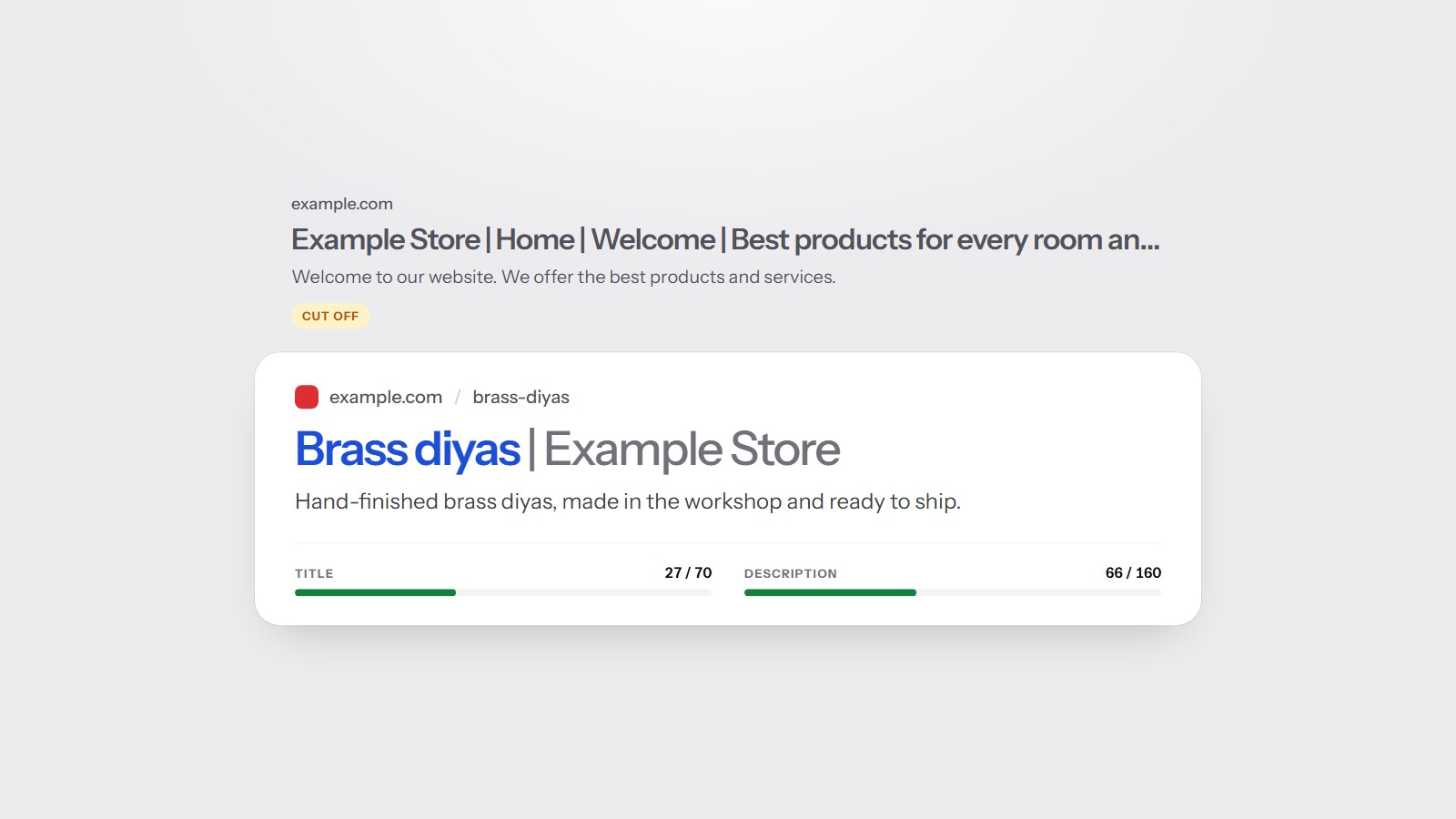
SiteScore flags a title longer than 70 characters as a warning. That is not a magic ranking cutoff. It is the length at which the label is often shortened in the result, so the words you cared about disappear. Google also rewrites titles. A clear, specific title is rewritten less often than a slogan, a list of cities, or a string of keywords.
A missing title is a critical issue in the scan. A long title is a warning. Write the missing ones first. Then shorten the ones that run past 70 characters.
One title, used once
Duplicate titles are grouped and penalised because they make two URLs look like the same result. The usual cause is a template that prints the brand and nothing else: every product, every article, and every city page shares one title. Each of those pages then competes with the others, and the result snippet looks identical.
The fix is in the template, not in fifty individual edits. Add the page's own name, then the brand. 'Brass diyas | Example Store' and 'Silver diyas | Example Store' are different labels. 'Example Store' on both is one label pasted twice. The same rule applies to near-duplicate body text, which the content checks flag when two indexable pages are very similar.
The description earns the click
The meta description does not carry the same weight as the title. Google often writes its own snippet from the page. A description still matters on the days it is used, because it is the one sentence you control. Say what the page will give the reader, in plain language, without a list of keywords.
- Missing descriptions are a warning. Write one for any page you want clicked from search.
- Descriptions over 160 characters are flagged. The extra words are the ones that get cut.
- The same description on many pages is the same problem as a repeated title. Each URL needs its own sentence.
- A description that contradicts the title, or promises something the page does not contain, trains people to click back.
Write it the way you would answer a customer who asked what this page is. One or two sentences. The city, the product, or the question in the title should appear again, naturally, so the result looks like it belongs to the query.
What the scan actually checks
For every crawled page the audit records a missing title, a title over 70 characters, a duplicate title, a missing description, a description over 160 characters, and a duplicate description. It also notes a missing H1, more than one H1, and a missing canonical. Those are the on-page rows you will see in a report. They are listed with the points they cost on the methodology page.
Open Graph tags are separate. They are the title, description, and image that chat apps and social posts use when someone shares the URL. A page can have a good search title and a blank share card. Completing og:title, og:description, og:image, and og:type is a small warning in the score and a large difference when the link is pasted into a conversation.
If you are staring at a long issue list, read the report in the order that matters: fetch problems, index instructions, then titles. The free scan will show the homepage title and description problems immediately, which is often enough to see that the template, not the prose, is the thing to change.